How to Organize Pickup Table Tennis
Table tennis is the ultimate low-barrier sport — one table, two paddles, and a ball is all you need. Organizing sessions is quick, but coordinating who's playing when and collecting table rental fees can be messy. Rallyd streamlines the whole process.
Who Is This Guide For?
Whether you're a competitive club player training for tournaments, an office group that plays during lunch breaks, or a casual player who just wants to rally with friends, this guide helps you organize table tennis sessions painlessly.
Step-by-Step Walkthrough
Create Your Table Tennis Event
Open Rallyd and select Table Tennis. Set your date, time, and venue — rec center, office, or community club. Choose singles or doubles format and set your player cap. Add the cost per person if splitting table rental.
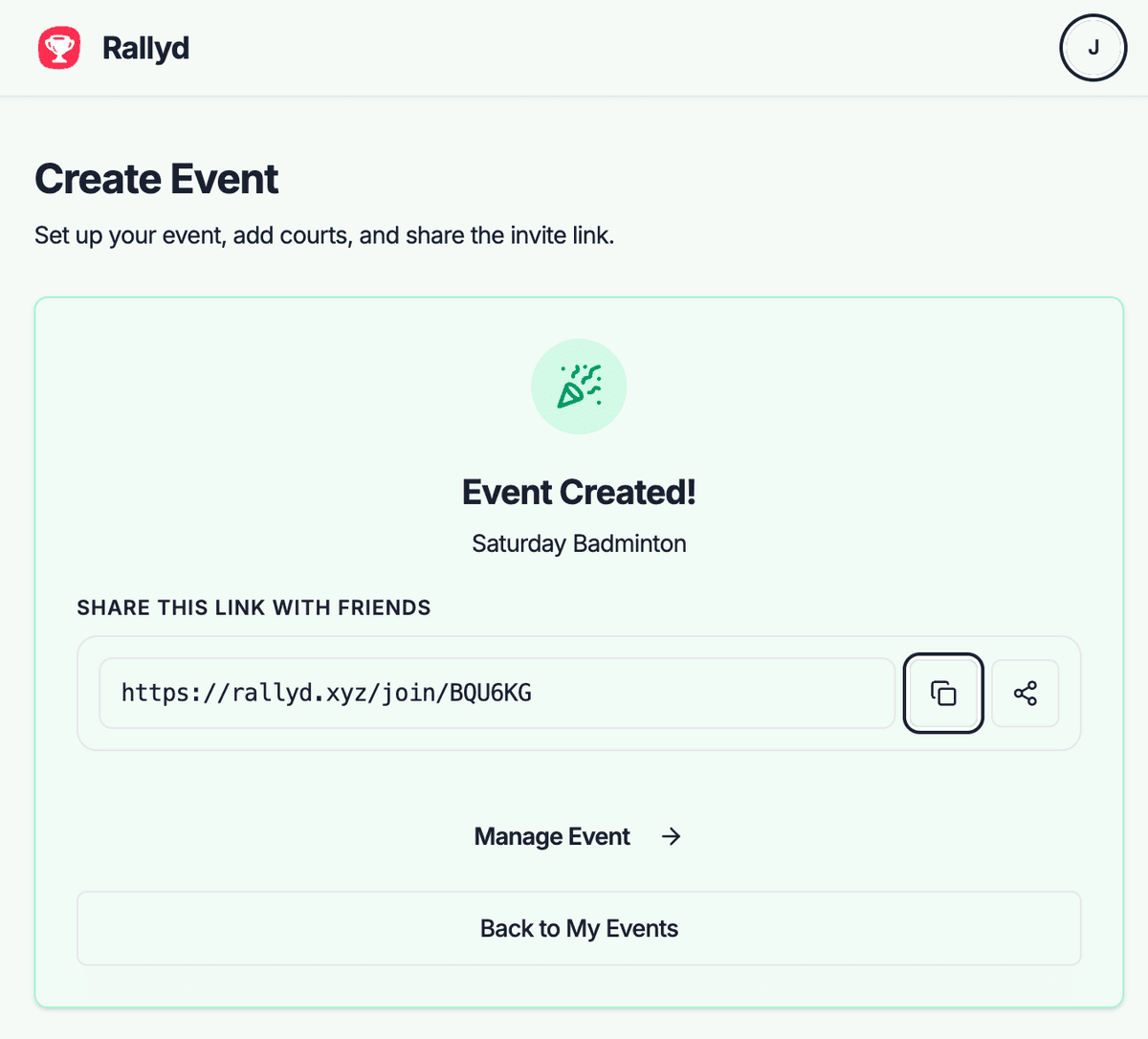
Share Your Invite Link
Send the invite link to your table tennis contacts. Drop it in office Slack channels, club group chats, or local ping pong communities.
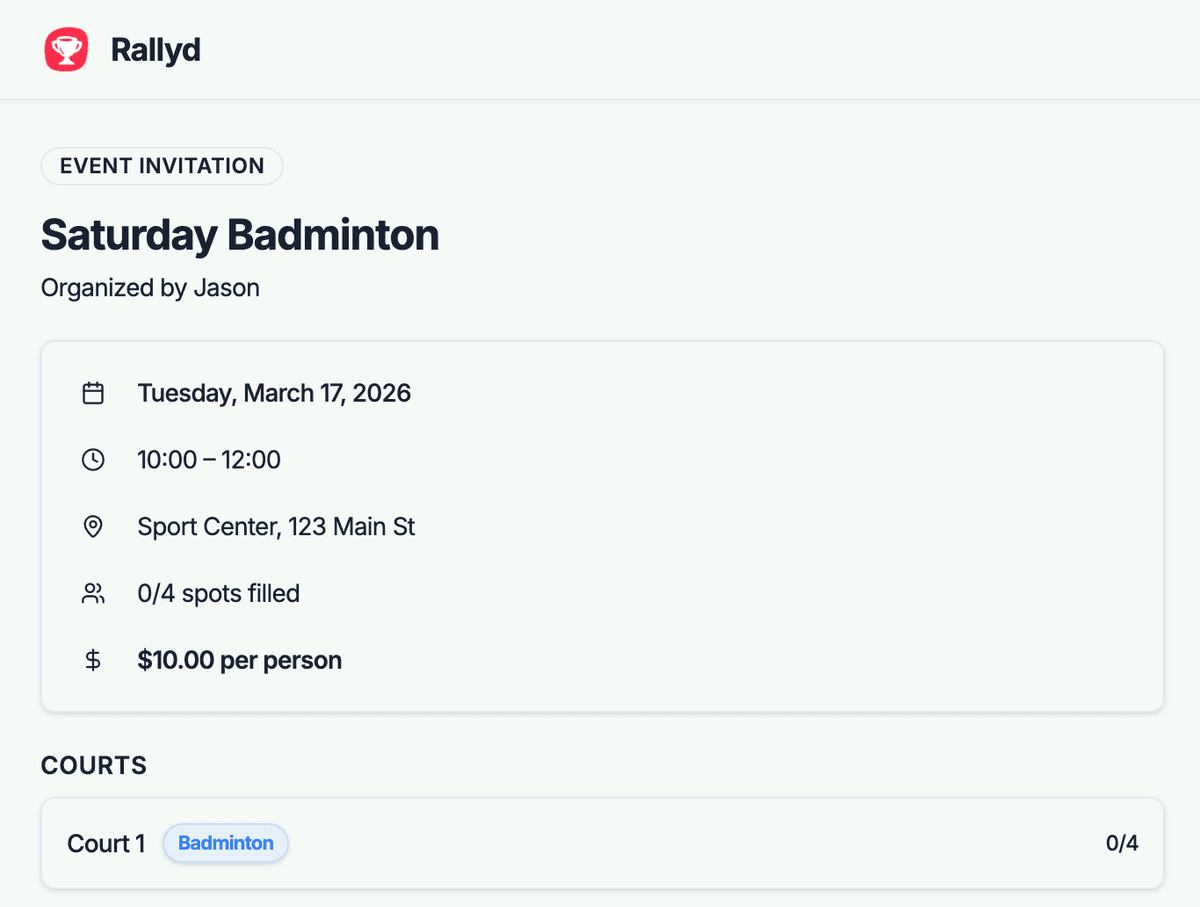
Players Join the Game
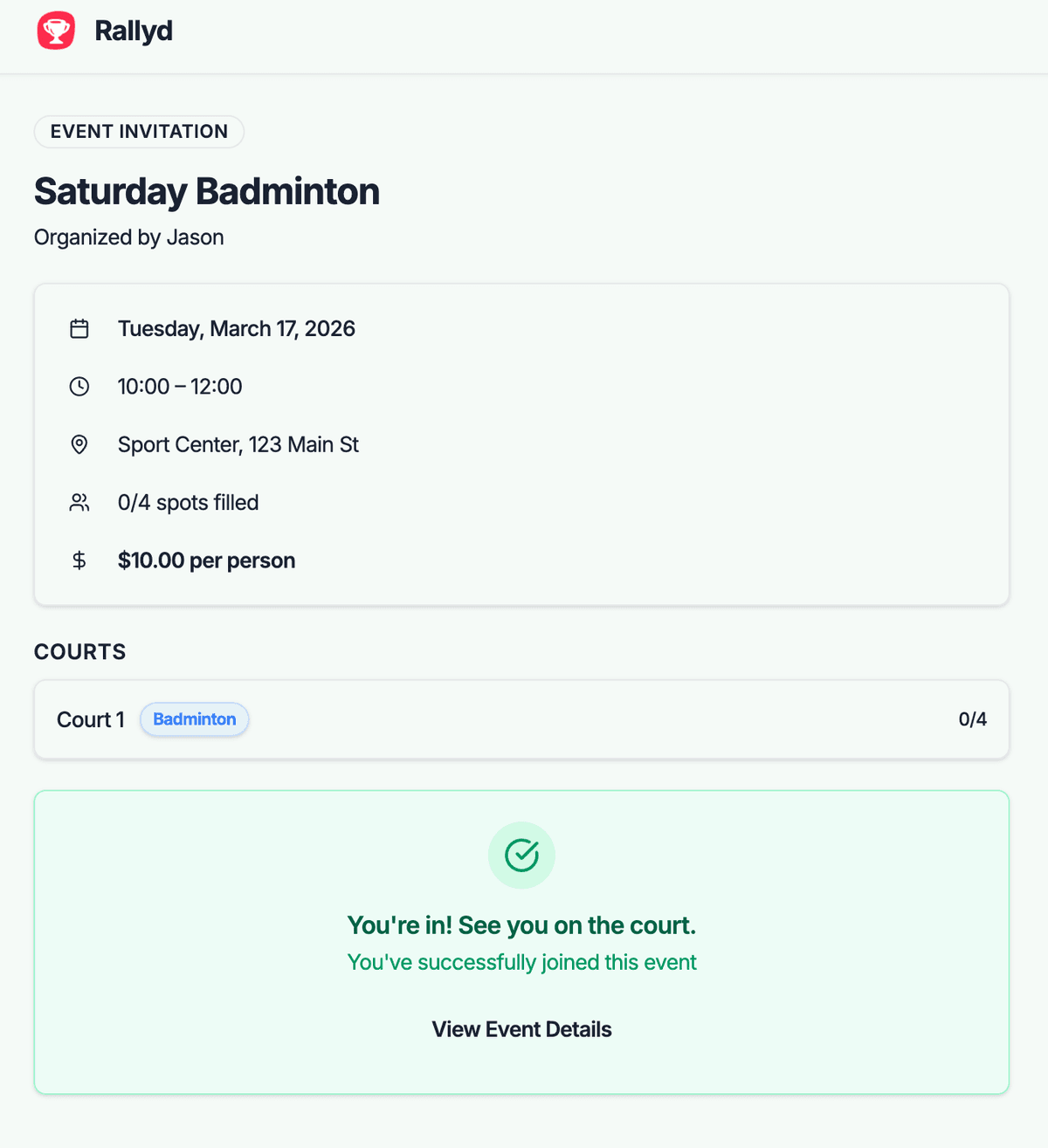
Players tap the link, see the event details, and join. Two confirmed players is enough for singles — but having 4–6 makes for a more dynamic session.
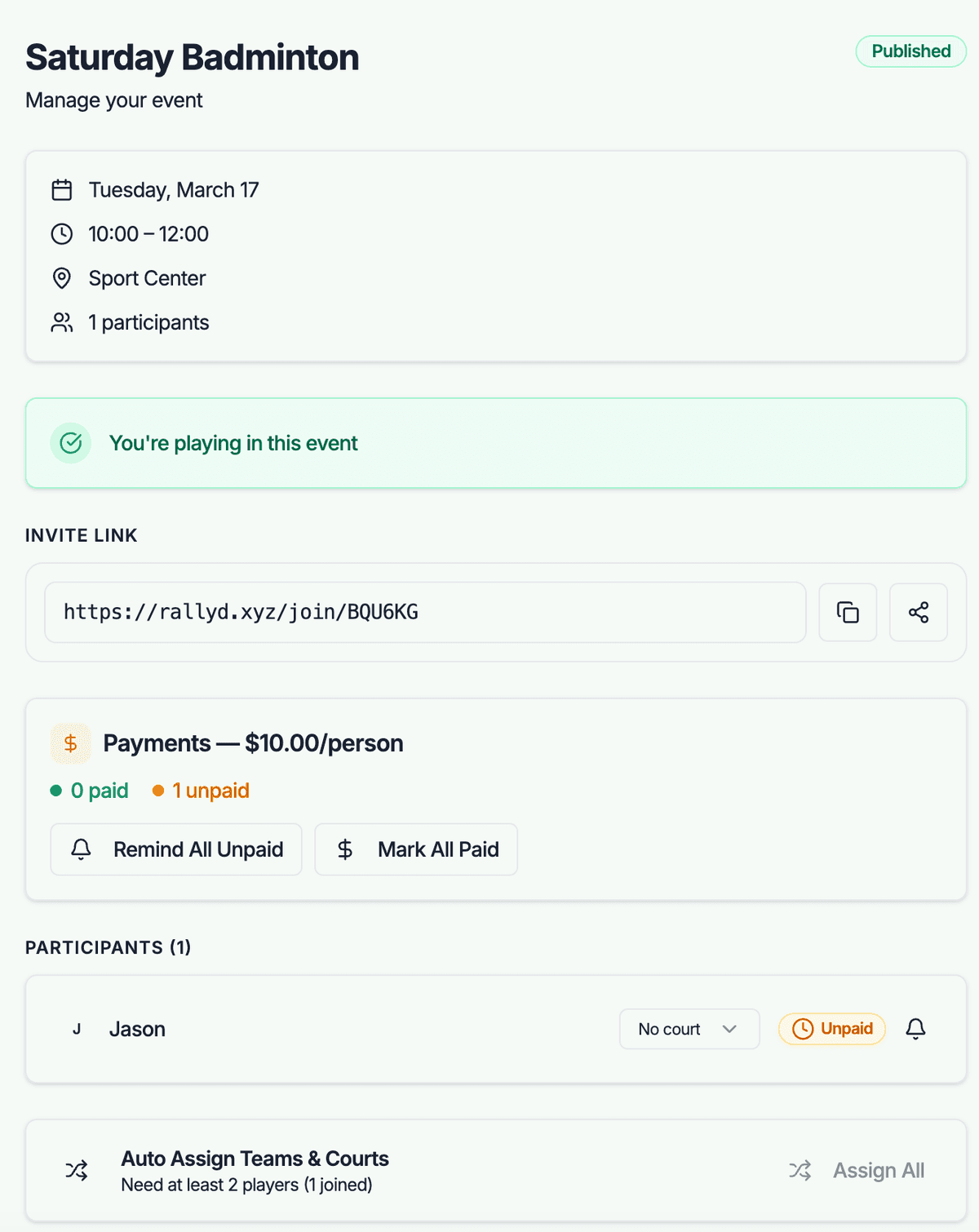
Manage Teams and Payments
For doubles, use auto-balance to pair players. Track table rental fees per person. Review the participant list to ensure your session is confirmed.
Organizing Tips for Table Tennis
Bring Your Own Paddle
Rental paddles at rec centers are usually terrible. A decent personal paddle ($20–40) dramatically improves the experience. Bring a spare for friends who don't have one.
Stock Up on Balls
Table tennis balls crack and dent constantly. Bring a box of 12+ three-star balls to every session. They're cheap and essential for uninterrupted play.
Set Game Format Before Starting
Best of 3 or best of 5? Games to 11 with deuce at 10-10? Establish this upfront so all matches follow the same format and timing stays predictable.
Run a Ladder or Rating System
For recurring groups, track results and create a ranking. Friendly competition drives attendance and gives newer players improvement goals.
Use Good Lighting
Poor overhead lighting makes tracking the ball difficult. If your venue has dim lighting, ask about turning on additional lights — it makes a bigger difference than you'd think.
Common Challenges & Solutions
Skill levels are wildly different and beginners get destroyed
Split your session into two groups: competitive and casual. Or implement a handicap system — stronger players start behind by a few points. In mixed groups, play doubles to even out skill gaps.
Table rental slots are short and you spend half the time waiting
Book 2 tables instead of 1 when possible. With 6 players on 2 tables, wait times drop to near zero. The per-person cost barely increases and the experience is dramatically better.
Office table tennis sessions get too loud or disruptive
Schedule during lunch breaks or after hours. Set up the table in a meeting room rather than an open area. Agree on a noise level expectation — it's possible to play competitively without shouting.
Frequently Asked Questions
How do I organize a table tennis tournament at work?+
Create a Rallyd event for 8–16 players with your office as the venue. Use auto-balance to generate first-round matchups. You can run a single-elimination or round-robin bracket — manage the bracket manually and use Rallyd for player registration and tracking.
What's the best way to find table tennis partners near me?+
Check local table tennis clubs, community centers, and recreation facilities. Create a Rallyd event and share it on Facebook table tennis groups or Reddit (r/tabletennis). Many cities have active casual communities that welcome new players.
How many players are ideal for a table tennis event?+
4–6 players per table is ideal for a social session. With 2 players per game and winner-stays-on rotation, wait times stay short. For 8+ players, book 2 tables to keep everyone active.
Can I use Rallyd for a ping pong league?+
Yes — create weekly events with consistent scheduling. Track results informally in your group chat and use Rallyd for attendance and payment management. The platform handles the logistics while you focus on competition.
Ready to Organize Your First Table Tennis Game?
Create an event in under a minute, share the invite link, and let Rallyd handle the rest.